







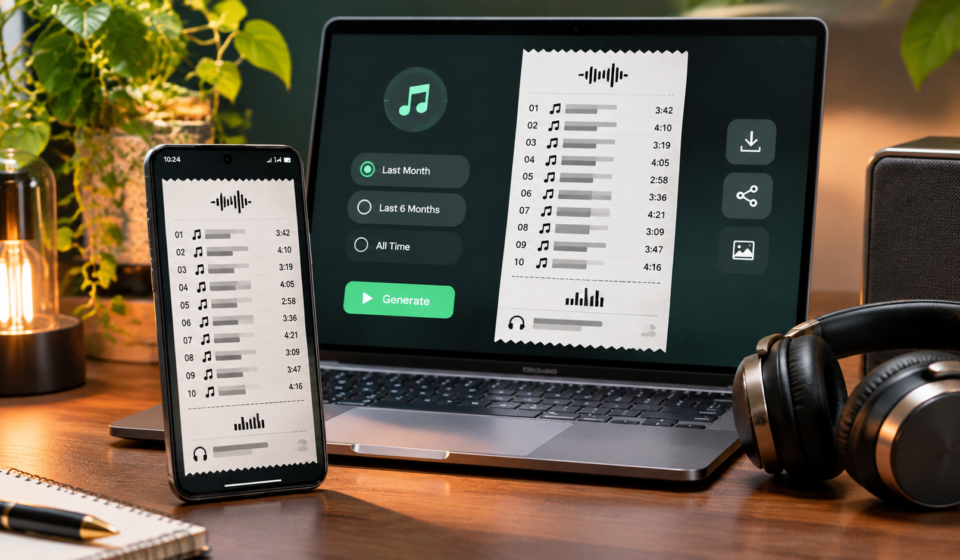

Your music taste says a lot about you, and lately the internet has found a charming way to prove it. Instead of another grid of album covers, your top songs now arrive printed like a shopping receipt, complete with track lengths as prices and a total at the bottom. Friends share them, compare them, and laugh at the guilty pleasures hiding in the small print.
If you have seen these little receipts all over social media and want one of your own, this Receiptify user guide walks through the whole thing. You will learn what Receiptify is, how to connect your music account safely, how to pick a time range, and how to save and share the finished receipt without the usual confusion.
What Receiptify Actually Is
Receiptify is a small web app that turns your listening history into a receipt styled image. It reads your most played tracks from a streaming service and formats them as if a shop had printed your music order. Each song appears as an item, its play length becomes the price, and your top artist often shows up in the header.
The idea took off because it is personal and funny at the same time. A receipt feels ordinary, yet the contents are unmistakably yours. Your comfort songs, your current obsession, and that one track you played forty times in a week all appear in black and white.
The tool is free to use and runs in the browser. Nothing needs installing, and the receipt is generated on the spot, ready to download as an image.
Connecting Your Music Account
Receiptify works with major streaming services, and the connection happens through the service itself. You choose your platform on the Receiptify page, and it sends you to the official sign in of that service. You approve the permission there, and the service sends you back with your data ready.
That official route matters. You should never type your streaming password into a look alike page or a random app that promises receipts. The real flow always takes you to the streaming service’s own domain to sign in, and you can revoke the access later from your account settings.
- Sign in only through the streaming service’s own page
- Check the permissions the app requests before approving
- Revoke access in your account settings when you are done
- Never share your password with any receipt generator
Once connected, the app reads your listening stats. It does not change your playlists, follow anyone, or post anything on your behalf.
Choosing a Time Range
The best part of the tool is the choice of periods. You can usually pick between the last month, the last six months, and all time. Each one tells a different story about your listening life.
The last month shows your current phase: the new album on repeat, the podcast theme you cannot shake, the song from a film you just watched. The six month view smooths that out into your real habits, while all time is a small museum of every era you have passed through as a listener.
Many people make all three and compare them. The differences are often the funniest part, especially when an all time receipt exposes a phase you thought you had left behind.
Reading and Saving Your Receipt
When the receipt appears, check the details before saving. The header shows your username and the date, the items list your top tracks with their artists, and the total reflects the combined length of the list. Some versions also add a playful card or order number line at the bottom.
Saving is simple: use the download button to save the image to your device. On phones, a long press on the image usually offers the same option. The file is a normal picture, so it works anywhere pictures work, from chats to stories to printed jokes for a friend’s birthday card.
If the receipt looks cut off or blurry, generate it again and download the fresh copy rather than screenshotting the preview. The downloaded file is the clean, full resolution version.
Sharing It Well
These receipts were made to be shared, and a little context makes them land better. Posting the all time version with a caption about your most surprising track starts better conversations than the image alone. Tagging the artists is harmless fun, and many smaller artists enjoy seeing themselves on a fan’s receipt.
Think once before posting if your username or listening habits are things you keep private. The receipt shows real data from your account, so treat it like any other personal post. When in doubt, crop the header or share it only with friends.
Groups of friends often swap receipts to build shared playlists from them. Your top items become an easy, honest starting point for what to play when everyone is together.
When Something Goes Wrong
Most problems have simple causes. If the page shows no data, the account may have too little listening history in the chosen period, so try the all time range. If the sign in loops, clear the browser cache or try a different browser, since stale sessions are the usual culprit.
If you connected the wrong account, revoke the access in your streaming settings and start again with the right one. And if the site seems slow, wait a minute and retry, because the tool gets heavy traffic whenever receipts trend again.
With those small fixes in mind, the whole process takes about a minute from start to saved image. Few tools turn your own habits into something this shareable with so little effort, which is exactly why the little music receipt keeps coming back.
About the author: Guide Mint Daily writes friendly technology and entertainment guides for everyday users. Each guide explains popular tools in plain language, with safe steps and practical tips.