




A customer standing in front of a bakery display wants to know three things: what the product is, how much it costs and whether it suits their dietary preferences. If the labels are difficult to read or contain outdated information, even an attractive display can become confusing.
Food retailers, cafés, hotels and delicatessens need practical labelling systems that make product information easy to understand.
For businesses managing frequently changing products, a Food Display Labels Printer can provide a convenient way to create consistent, professional-looking labels in-house.
However, selecting the right equipment involves more than comparing printer prices. Card formats, printing frequency, software features and ongoing operating costs all influence the purchasing decision.
Understand What Your Business Needs to Print
The first step is identifying the intended application.
A small café may require only a handful of food labels, while a supermarket delicatessen might need to update dozens of product cards regularly.
Different Businesses Have Different Requirements
Common applications include:
- Bakeries displaying product names and prices.
- Butcher shops identifying meat cuts and pricing.
- Delicatessens presenting cheese and prepared food information.
- Hotels labelling buffet dishes.
- Restaurants displaying menu items and dietary information.
- Specialty retailers creating product identification cards.
The number of labels and the frequency of updates can help determine the appropriate printing system.
What Type of Plastic Card Printer Should You Consider?
Not every card printer offers identical capabilities.
Some systems produce single-sided cards in a standard format, while others support different card dimensions or double-sided printing.
Single-Sided Card Printers
Single-sided machines print information on one face of a card.
They may suit businesses displaying product names, prices and short descriptions.
A compact printer can be practical where counter space is limited and printing volumes are relatively modest.
Double-Sided Printing Options
Double-sided printing allows information to appear on both sides of the card.
This can be useful when staff require product references or other operational information that customers do not need to see.
However, double-sided printing is only worthwhile if it supports a genuine business requirement.
Why Card Format and Size Matter
The dimensions of a label influence how much information can be displayed clearly.
A standard card may be sufficient for a product name and price, while a longer format may provide more room for additional details.
When selecting a printer for plastic cards, confirm which card sizes the machine supports.
Match the Card to the Display
Small food counters may benefit from compact labels that do not obstruct products.
Larger buffet displays may need more prominent cards that customers can read from a comfortable distance.
What Information Should a Food Label Include?
Depending on the product and applicable requirements, labels may need space for:
- Product name.
- Selling price.
- Relevant ingredient information.
- Allergen information.
- Product origin, where required.
- Dietary descriptions that can be substantiated.
The printer must support a layout that presents required information clearly.
A display card alone may not satisfy every food labelling obligation, so businesses should verify applicable requirements.
Check the Design Software Before Purchasing
Printing hardware is only one part of a complete labelling system.
The design software determines how easily staff can create and update labels.
Look for Practical Software Features
Useful capabilities may include reusable templates, text editing, logo placement and support for product information.
Templates can help businesses maintain consistent designs across multiple product categories.
For example, a bakery could create separate templates for bread, pastries and packaged goods while retaining a consistent visual appearance.
When comparing card printers, assess the complete software and printing package rather than focusing exclusively on the machine.
How Important Is Printing Speed?
Printing speed becomes relevant when businesses make frequent price or product changes.
A retailer updating many labels before opening may benefit from faster printing.
However, a café producing only occasional replacement cards may place greater value on ease of use.
Consider Actual Daily Printing Volume
Estimate how many labels require printing during a typical week.
Include new products, seasonal menu changes and damaged card replacements.
Then compare those requirements with the manufacturer’s stated printing capabilities.
A printer designed for high-volume operation may be unnecessary for a business with limited labelling needs.
What Are the Ongoing Operating Costs?
The purchase price does not represent the complete cost of ownership.
Plastic card printers generally require compatible cards and printing ribbons.
Calculate Cost Per Printed Card
Consider the price and expected yield of ribbons, the cost of blank cards and routine maintenance requirements.
Businesses should also account for printing errors and occasional reprints.
Card printers that use proprietary consumables may require specific supplies.
Before purchasing, check availability and compatibility rather than assuming generic materials will work.
Why Choose Edikio Australia?
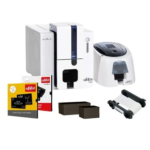
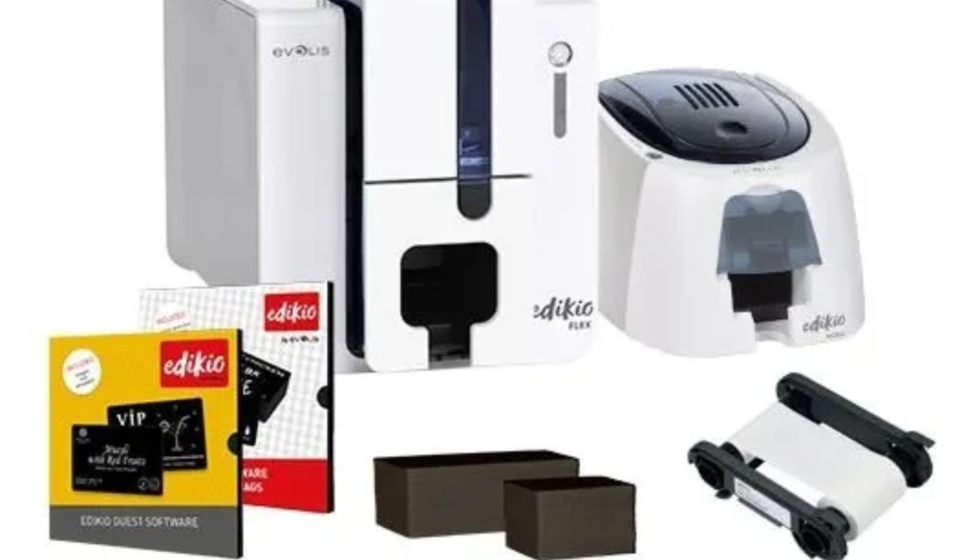
Edikio offers dedicated solutions for creating plastic price tags and food display labels.
Its range includes Access, Flex and Duplex options for different printing requirements, including standard-format, long-format and double-sided applications.
The Edikio solutions combine card-printing hardware, design software and compatible consumables, giving businesses a coordinated system for producing display cards.
Plastic card Printers – Edikio+2
Businesses can compare the available configurations according to their expected printing volume and display needs.
About Us – Edikio Australia
Edikio Australia provides specialist card-printing solutions for food retailers, hospitality businesses and other organisations requiring professional product labels.
Its range supports the creation of customised plastic cards for retail counters, buffets and food displays.
Customers researching a Food Display Labels Printer can explore the available systems and evaluate suitable combinations of hardware, software and printing materials.
Choose Equipment That Fits Your Labelling Routine
The most suitable printer is not necessarily the fastest or most expensive model.
Consider the number of cards required, preferred formats, software usability and ongoing consumable costs.
A well-selected printer for plastic cards can help businesses update information more conveniently while maintaining consistent product presentation.
Before investing, compare the complete system against your actual labelling requirements. That approach is more useful than buying equipment based on specifications you may never need.