





Producing 20 identification cards is a very different task from printing 2,000 cards for an upcoming conference, university intake or membership renewal programme.
At higher volumes, small interruptions become significant. Repeatedly loading cards, changing ribbons or restarting failed print jobs can affect productivity and delivery schedules.
For organisations managing substantial card production, equipment selection needs to focus on operational capacity rather than appearance alone.
A suitable plastic card printer should provide reliable output, manageable consumable changes and features that support an efficient printing workflow.
Understanding these capabilities can help organisations avoid equipment that becomes a bottleneck during busy periods.
Why High-Volume Printing Requires Different Equipment
High-volume printing places greater demands on the printer and the people operating it.
A compact desktop machine may be perfectly suitable for occasional printing but less convenient for prolonged production runs.
Understanding Production Requirements
Before selecting equipment, determine:
- Average cards produced each day.
- Maximum cards required during peak periods.
- Number of individual print jobs.
- Required card personalisation.
- Single-sided or double-sided printing.
- Available staff and operating hours.
These details help establish whether a standard desktop model is sufficient or a higher-capacity system is more appropriate.
Printing Speed Is Important, but Not the Only Factor
Manufacturers often advertise printing speed using cards per hour.
However, actual productivity depends on the printing configuration.
Compare Like-for-Like Output
Monochrome printing can differ substantially from full-colour printing.
Double-sided printing may take longer than single-sided production.
Card encoding or lamination can introduce additional processing steps.
When comparing cardprinters, check speed specifications for the exact card type and printing method required.
Calculate Realistic Production Time
Suppose an organisation needs to produce 1,000 cards.
A hypothetical system capable of completing 200 cards per hour would require five hours of continuous printing under ideal conditions.
Allow for Operational Interruptions
Real production may include ribbon replacement, card loading, quality checks and occasional rejected cards.
Organisations should include reasonable allowances for these activities when planning deadlines.
The advertised maximum speed should not automatically be treated as the guaranteed daily output.
Why Card Feeder Capacity Matters
The card feeder determines how many blank cards can be loaded before the operator needs to replenish the supply.
For large printing jobs, a higher feeder capacity may reduce repeated handling.
Consider Input and Output Capacity
A printer may have a substantial input capacity but a smaller output hopper.
If finished cards require frequent removal, staff may still need to monitor the machine closely.
Businesses comparing card printers australia should examine both capacities.
A suitable configuration can make longer print runs easier to manage.
Automatic Double-Sided Printing Can Improve Workflow
Many identification programmes require information on both sides of a card.
For example, the front may contain a photograph and employee details, while the reverse contains instructions or additional information.
Reducing Manual Card Handling
Automatic duplex printing allows both surfaces to be printed without manually turning each card.
This can be useful when producing large batches.
However, double-sided capability should be assessed alongside printing speed and ribbon consumption.
A high-volume plastic card printer should be configured for the actual card designs the organisation intends to produce.
What Role Does Database Integration Play?
Large card production projects often involve hundreds or thousands of individual records.
Manually entering each name and identification number can be time-consuming and increase the risk of errors.
Using Approved Data Sources
Some card design software supports importing information from spreadsheets or databases.
This can simplify card personalisation when correctly configured.
Protect Cardholder Data
Data accuracy and privacy remain essential.
Organisations should verify records before printing and restrict access to authorised users.
Where sensitive identification data is involved, secure handling practices should form part of the complete production workflow.
Software features vary, so confirm database compatibility before purchasing.
Consider Electronic Encoding Requirements
High-volume identification projects sometimes require contactless or magnetic stripe credentials.
Printing cardholder information is separate from programming the electronic components.
Verify Compatibility Before Production
Check whether the printer supports the necessary encoding modules and card technologies.
The selected system must also be compatible with the organisation’s existing readers and software.
For buyers researching cardprinters, encoding requirements can significantly influence the suitable equipment range.
Testing a sample credential before large-scale production can prevent costly mistakes.
Consumable Changes Can Affect Productivity
Printing ribbons and cleaning materials are recurring requirements.
Frequent replacement interrupts production and can increase staff workload.
Evaluate Ribbon Yield
Review the stated ribbon capacity for the selected printing mode.
Also check how easily consumables can be replaced.
High-volume users should establish an inventory process to avoid running out of essential supplies.
When comparing card printers australia, consider the availability of compatible consumables alongside the printer’s production specifications.
Should You Consider Lamination?
Some identification applications benefit from an additional protective layer.
Lamination can be useful where cards experience regular handling or require particular security-related features.
However, it adds equipment, materials and processing time.
Match Protection to Expected Card Life
A temporary event credential may not require the same durability as a long-term employee identification card.
Consider how long the cards will remain in circulation and the conditions in which they will be used.
Avoid adding expensive finishing processes without a clear practical requirement.
Why Choose InteractCard Australia?
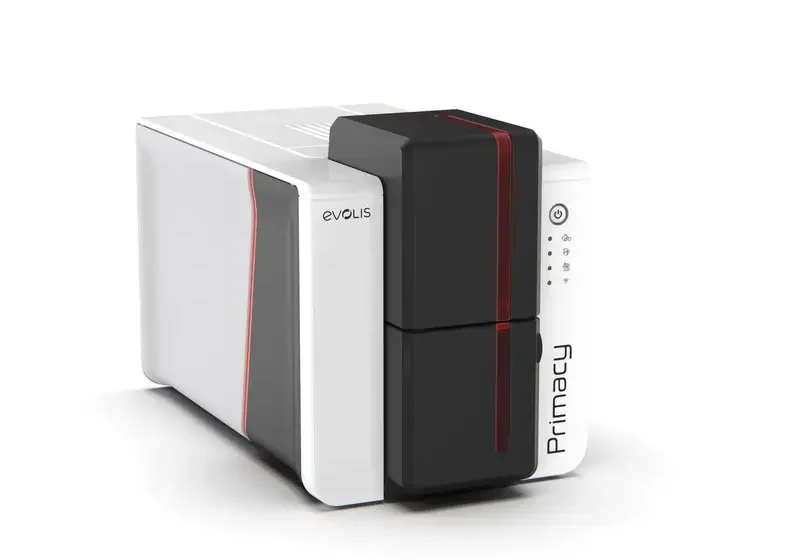
InteractCard Australia supplies a range of Evolis identification card-printing systems.
Its product categories include models intended for more demanding printing applications, including the Quantum 2 bureau printer and other advanced configurations.
Organisations can compare card-handling capacity, printing methods and supported features according to their production requirements.
For high-volume card printing, examining the complete equipment and consumable arrangement can help identify a more suitable solution.
About Us – InteractCard Australia
InteractCard Australia specialises in plastic card-printing equipment, identification supplies and associated software.
The company’s range includes desktop systems and more advanced printers for organisations with different production volumes.
Businesses comparing card printers australia can explore available equipment and related products for employee identification, membership cards and other applications.
Build a Printing Workflow That Can Handle Demand
High-volume printing is not simply about buying the fastest printer.
Card capacity, duplex operation, software integration, consumable management and maintenance all influence productivity.
Before investing, map out your complete production process and identify where delays are most likely to occur.
A suitable printing system should help the organisation manage large batches efficiently while maintaining card accuracy and consistent output quality.